 Our Easy Install of 350+ Applications Like WordPress
cPanel - Softaculous - Installing A Script
Installing a Script with Softaculous.
Our example is WordPress which is a popular blogging script.
Log into your cPanel
Click the Softaculous App Installer link in the Software section.
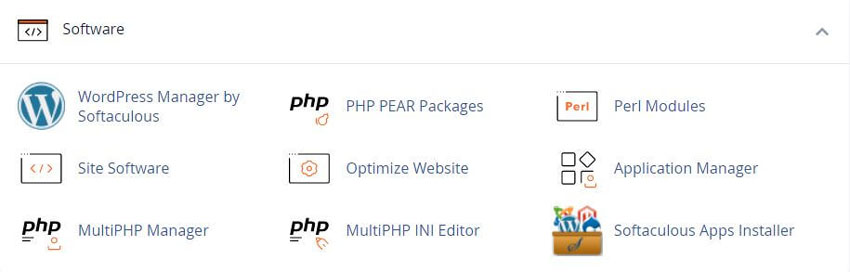
The Softaculous Panel will open.
Choose Your Script
On the left side of you will find a list of scripts.
We are installing WordPress as our example which is in the Blogs category.
Fill in the Installation Details
Click on the Install Tab.
You will now see a form with various details.
Fill in the details like protocol, domain name, directory, database name, admin login details language, etc.
Note: If you wish to install the script on the root of the domain eg: http://example.com - please leave the In Directory field blank.

Once you are done with the details click on install button and this should do the trick. Installation time may vary in accordance to size of the script and other factors, Please be patient.
As soon as the installation is complete Softaculous will provide links to your installation.
Click on the links provided and this should redirect you directly to the site page or the admin homepage whichever you choose.
Related Softaculous Tutorials and How To Guides
Wide range of key features for website management

Softaculous End-user Documentation
See our WHMCS cPanel Knowledgebase add-on module for Hosting Companies
Covering cPanel, WordPress, FTP and Softaculous
Related cPanel Tutorials and How To Guides
A beginners guide to cPanel Step by step tutorials
Tweet Share Pin Email
Error: No site found with the domain 'mail.rshweb.com' (Learn more)